
Others push a record. SCOUT runs the play: deal written, report attached, capture lead notified, from one instruction.
Runs where you already work: ChatGPT, Claude, Cursor. Ask for the intel, then say what to do with it.
After the intel, say this
Update the HubSpot deal with the latest recompete intel and notify the capture lead in Slack.
Connect the CRM in SCOUT first. Salesforce or Dynamics: swap the names.
You
Find expiring GSA cloud BPA recompetes.
SCOUT
12 expiring GSA cloud BPAs. 4 inside 180 days. Report ready.
You
Update the HubSpot deal with the latest recompete intel and notify the capture lead in Slack.
SCOUT
Updated Cloud BPA in HubSpot. Slack posted to #capture. @alex mentioned.
How SCOUT lands it·HubSpot·Salesforce·Dynamics·Slack
Intel is in the chat. Pipeline is in the CRM.
Other govcon tools hand you a CSV. After destinations are connected once, SCOUT writes the record. You do not open another tab to paste.
Connect once
Account Settings → Integrations. One CRM. Slack or Discord. Optional Capture lead.
Run intel in the same chat
Ask for the recompete first. “Find expiring GSA cloud BPA recompetes.”
Land this deal
Named record, or the first row. Two CRM matches: SCOUT asks.
CRM and Chat start at Tactics (Pilot included). Export is on any account. Not Free, MCP Trial, or Explorer.
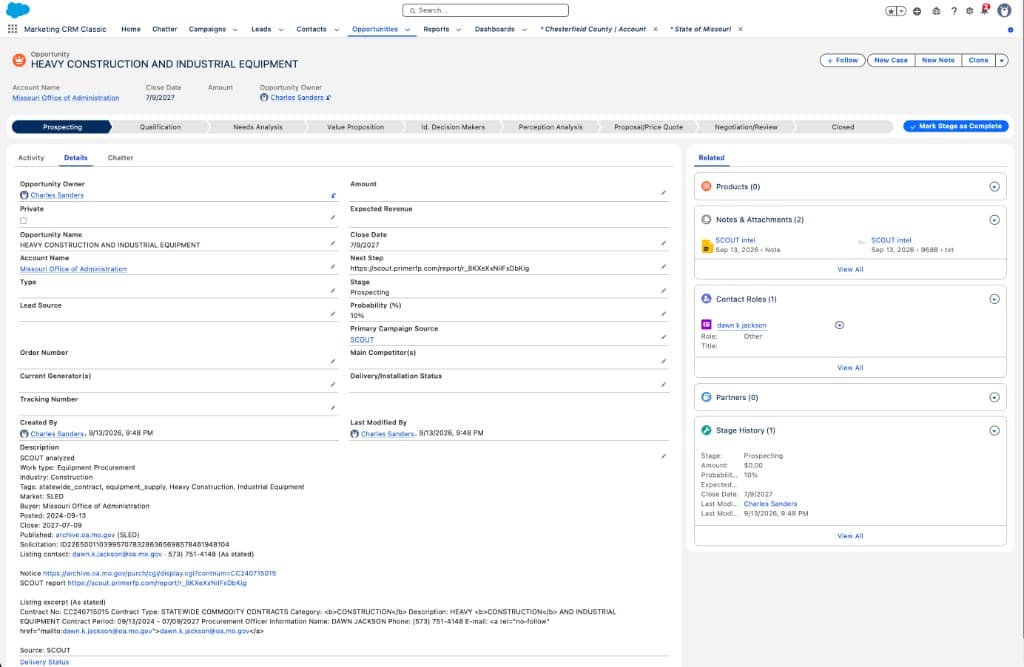
The Opportunity is already in the CRM
Details tab. Report URL as next step. Named contact on the record. Stage stays yours.
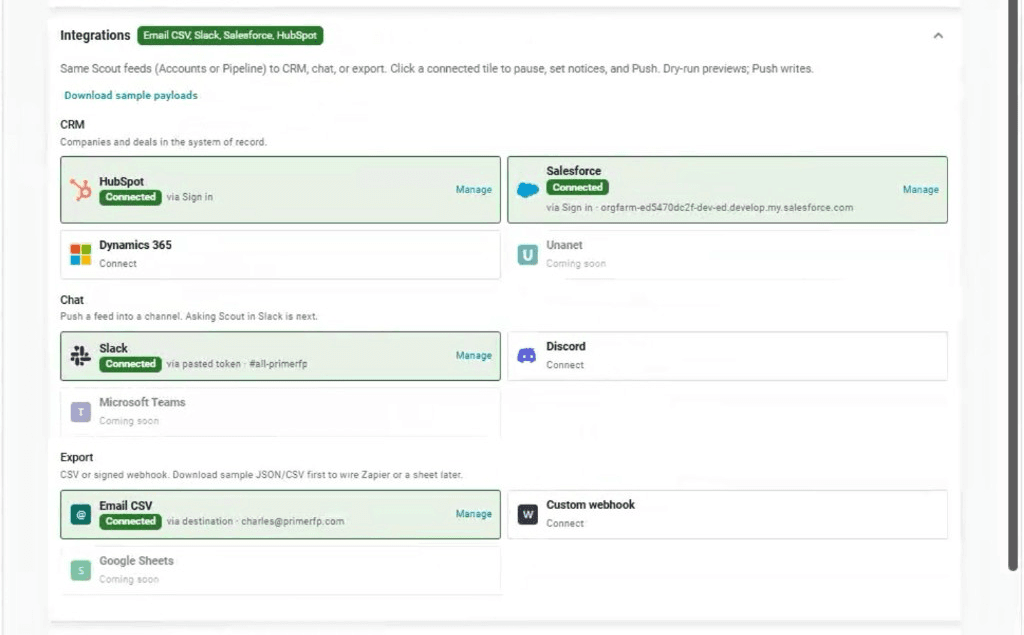
CRM, Chat, Export
SCOUT pushes. Unanet, Teams, and Sheets stay gray until they are live.
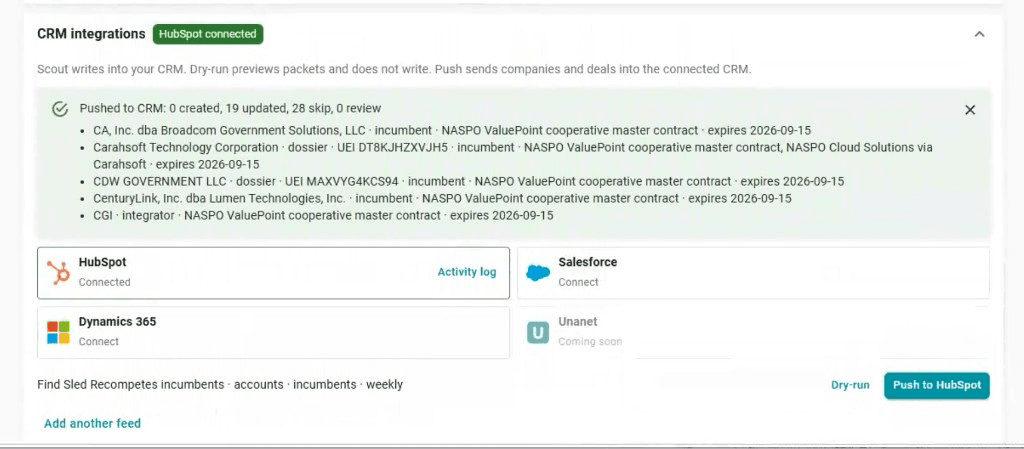
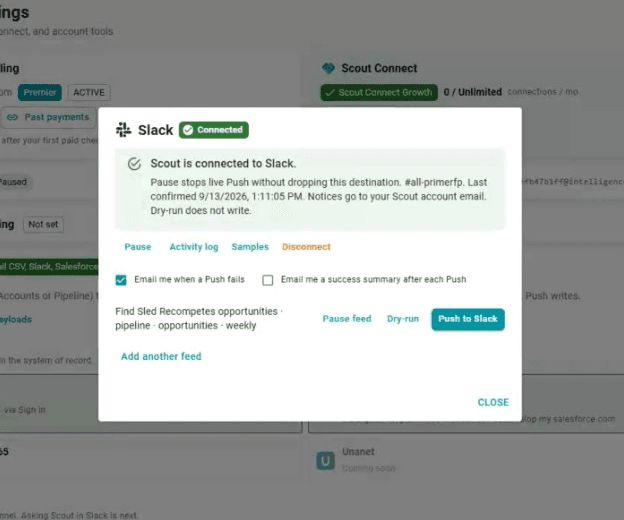
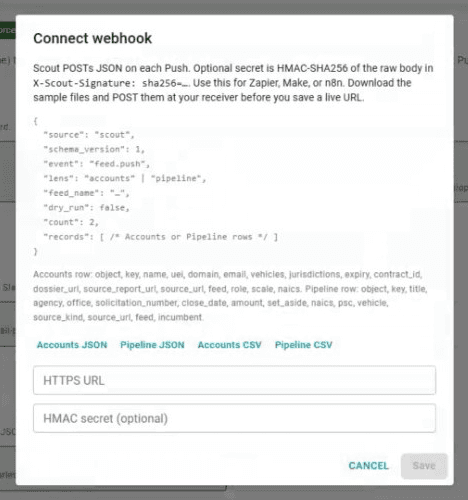
Not live: Unanet, Microsoft Teams, Google Sheets.
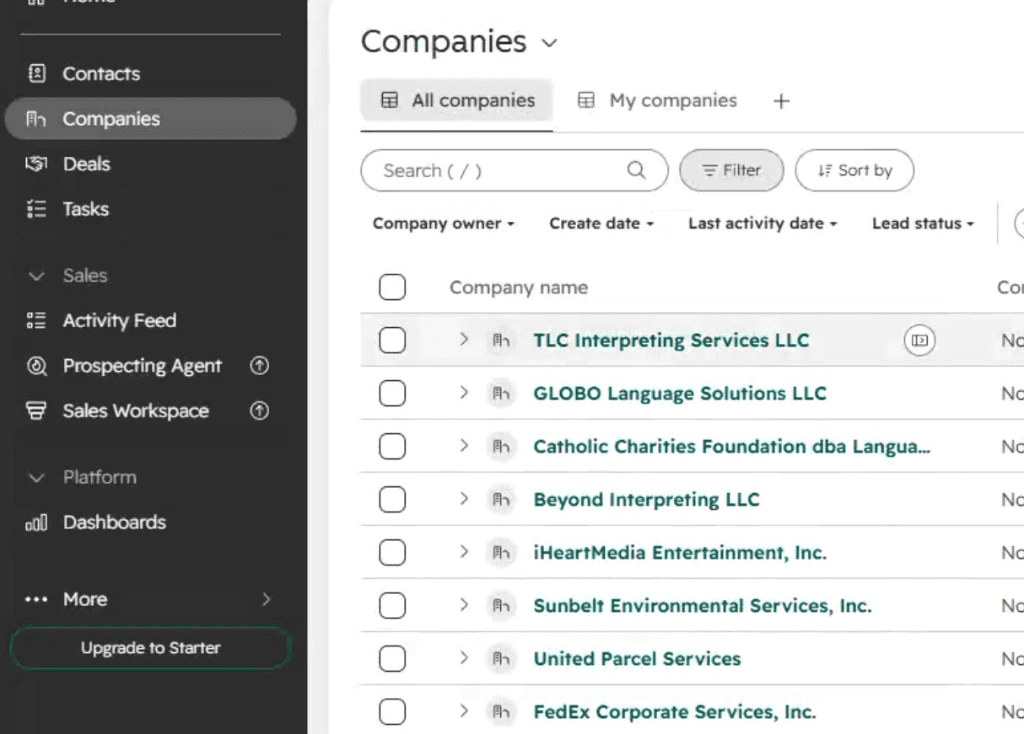
Same facts on every CRM
Stage and owner stay yours. No Fit Score, PWin, or GO/NO-GO.
- Title
- Close date (PoP end or response deadline)
- SCOUT report URL
- Dossier URL
- NAICS
- PSC
- Incumbent
- Solicitation
- Recompete flag
Swap the names
HubSpot → Salesforce or Dynamics. Slack → Discord.
Which CRM integrations do I have connected?
Status check before you land.
Land this recompete into HubSpot and notify Slack.
Shorter. Same land.
Update the HubSpot deal for [PIID or title] and notify Slack.
Name the record when the session has more than one.
Update the Salesforce opportunity with the latest recompete intel and notify Slack.
Same land. Opportunity, not Deal.
What stage is the Cloud BPA deal in HubSpot?
SCOUT looks at what it already wrote, then the live CRM. If two records match, it asks which one.
Push my Missouri recompete feed into Dynamics.
Weekly feed. Batch, not “this deal.”
Questions
- Which CRMs does SCOUT write to?
- HubSpot Deals, Salesforce Opportunities, and Dynamics 365 Opportunities. Same SCOUT fields. Unanet is coming soon.
- Does a CRM land also notify Slack?
- Yes, if Slack or Discord is connected. The channel gets the deal name, CRM link when we have it, the SCOUT report URL, and created vs updated. Optional Slack Capture lead @mention. Teams is not live.
- Which plan includes Integrations?
- Export (email CSV and signed webhook) is on any SCOUT account. CRM and Chat start at Tactics. Not on Free, MCP Trial, or Explorer.
- Do I connect HubSpot from ChatGPT?
- No. Connect CRM and Slack in SCOUT Account Settings. The land is a sentence in ChatGPT, Claude, or Cursor via SCOUT MCP.
- Is this a two-way CRM sync?
- No. SCOUT pushes. CRM edits do not flow back. Stage and owner stay in the CRM. SCOUT writes one inbound default stage on create.
- Does “the deal” dump my weekly feed?
- No. One named record, or the first row in the session. Weekly feeds are a separate path.
Connect in SCOUT, or tell us the stack
Tactics and above: Account Settings, then the prompt. Still deciding: price it, or send HubSpot / Salesforce / Dynamics.
SCOUT pushes one way. CRM edits do not flow back. Report URLs on the record are the intel. Empty Slack means Chat is not connected. Slack is a pasted bot token — no Sign in, no DMs, no Ask SCOUT in Slack. SCOUT does not write Fit Score, PWin, or GO/NO-GO, and does not change stage or owner after create.